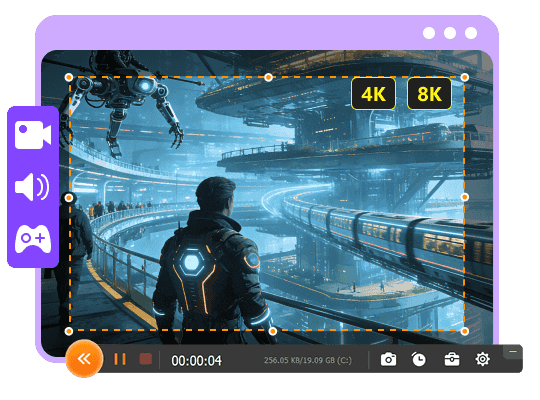
Aiseesoft Screen Recorder
 100% Seguro. Sin anuncios.
100% Seguro. Sin anuncios.
Contenido
Video recording software has become an essential tool for different needs, such as capturing a gameplay moment, creating a software tutorial, or preserving an online meeting. Whether for professionals or general users, a good recorder can help seamlessly record their screen activity, webcam feed, and audio.
This guide gives eight strong contenders for high-quality recordings on your computer through a fair and scientific comparison. You can easily find the perfect match for your projects. Now you can check the detailed review of the top video recording tools.
| Software de grabación de video | Ideal Para | Plataforma compatible | Anotación en tiempo real | Rendimiento de grabación |
|---|---|---|---|---|
| Aiseesoft Screen Recorder | All-in-one ease & high-quality recording | Windows, macOS | Yes, drawing, text, shapes, cursor highlight | High (up to 4K/8K 60/120fps+) GPU acceleration prevents lag |
| OBS Studio | Gamers & live streamers (high performance) | Windows, MacOS, Linux | No | Excellent for high-FPS gameplay Stable with proper setup |
| cuerda natural | Business meetings & quick communication | Desktop (Windows/macOS), Web, and Mobile | Yes (cursor highlight, Pro subscription) | Optimized for clarity Not for high-motion gaming |
| QuickTime Player | Free, basic recording on Mac | macOS | No | Stable, zero lag on Mac |
| ShareX | Lightweight capture & instant sharing (open-source) | Windows | Yes (after capture) | Good Supports hardware acceleration |
| Snagit | Quick feedback, tutorials, and documentation | Windows, macOS | Yes, extensive arrows, callouts, stamps | Good for tutorials Not for long or high-FPS gameplay |
| Bandicam | Recording on low-end PCs | Windows | Yes, drawing tools while recording | High quality with low CPU usage May cause FPS drops on some systems |
| ScreenFlow | Professional recording & all-in-one editing on Mac | macOS, iOS | Yes (during editing) | Excellent, optimized for macOS Can create large files |
puntuación:4.8/5
If you search for a powerful, straightforward recorder that can handle various recording tasks, Aiseesoft Screen Recorder is a top contender. It lets you capture high-definition (4K or higher) videos on Windows PCs and Macs smoothly. This capable video recording software excels at capturing screen activity, webcam video, and clear audio simultaneously.
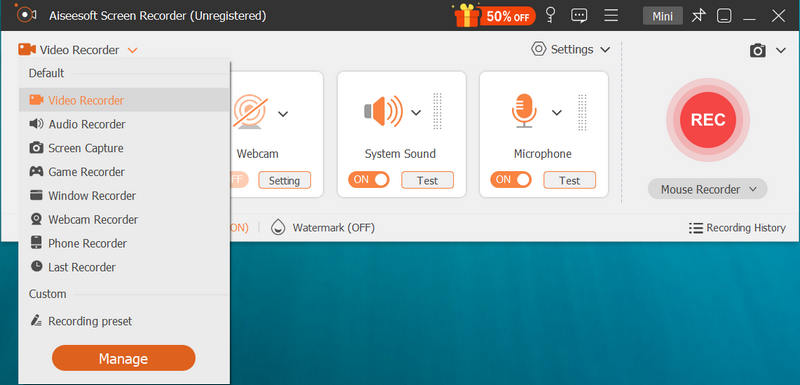
Its advanced GPU acceleration technology can effectively prevent FPS drops and lag while recording gameplay. Moreover, it offers all the commonly used real-time annotation tools, allowing you to add text and shapes, draw, and highlight cursor movements while recording.
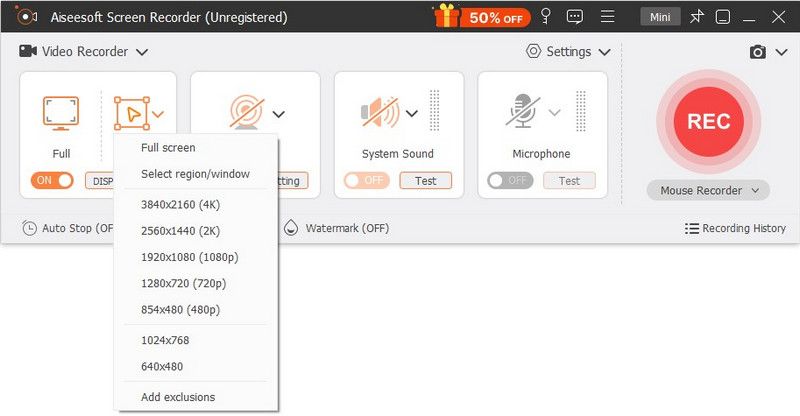
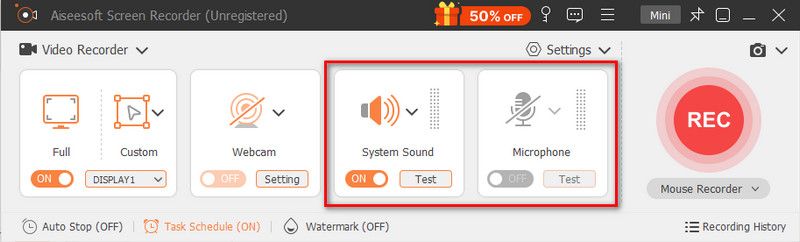
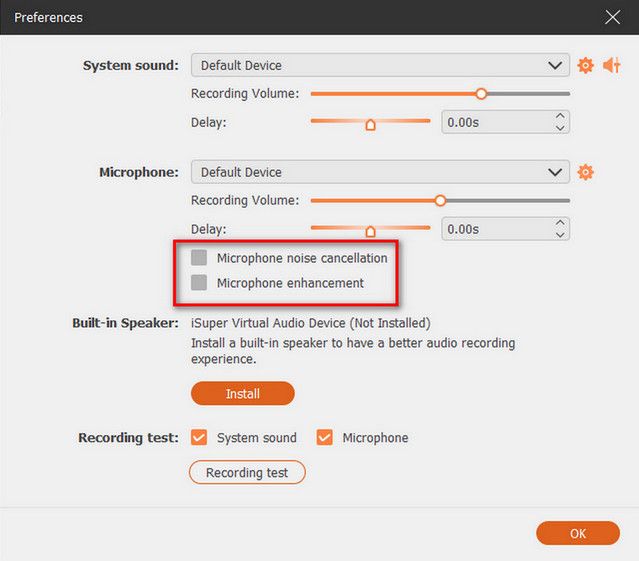
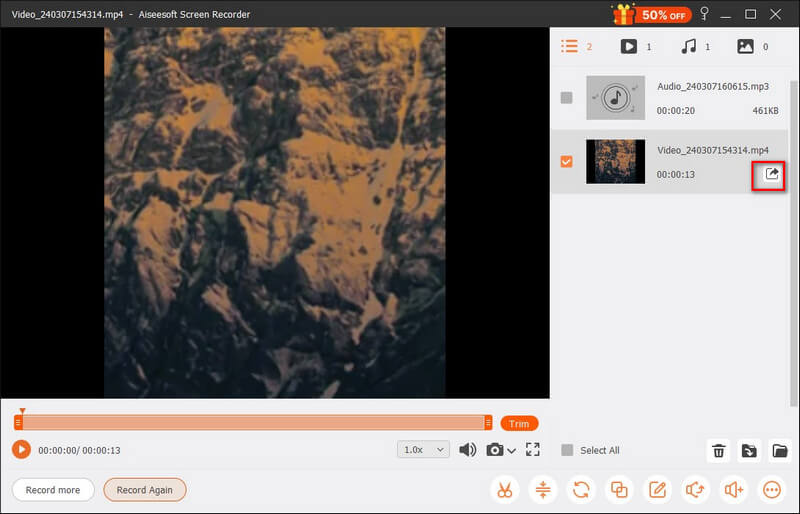
As an all-in-one toolkit, Aiseesoft provides several recording tools and all the necessary features, from capture source selection to live annotations to post-recording edits. It bundles essential features into a simple interface, reducing the need for multiple apps.
Aiseesoft Screen Recorder supports GPU acceleration and other advanced features. It is a reliable option for most users to capture high-frame-rate content without stutters. The software offers a free trial version to test its recording capabilities. More importantly, it does not insert a watermark into your final recordings.
puntuación:4.7/5
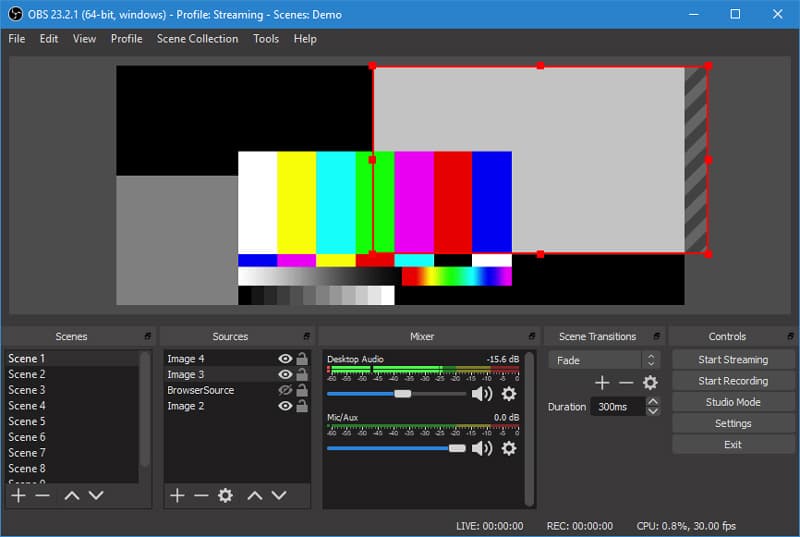
OBS Studio is a free, open-source tool designed for high-performance streaming and recording. It is the industry standard for gamers and live streamers. OBS allows for mixing multiple video and audio sources, complex scene compositions, and broadcasting to platforms like YouTube. As a video recording software, it is available for Windows, macOS, and Linux. It excels at high-quality screen recording and mixing.
Ventajas
Desventajas
Veredicto:
OBS Studio is an ideal option for most users who want a free video recording software with total control. Moreover, it can handle high-motion games with minimal lag. However, if you want to quickly capture and share a simple recording, OBS is not the best choice. Whether for gamers or streamers, it requires a long time and patience to climb the learning curve.
puntuación:4.6/5
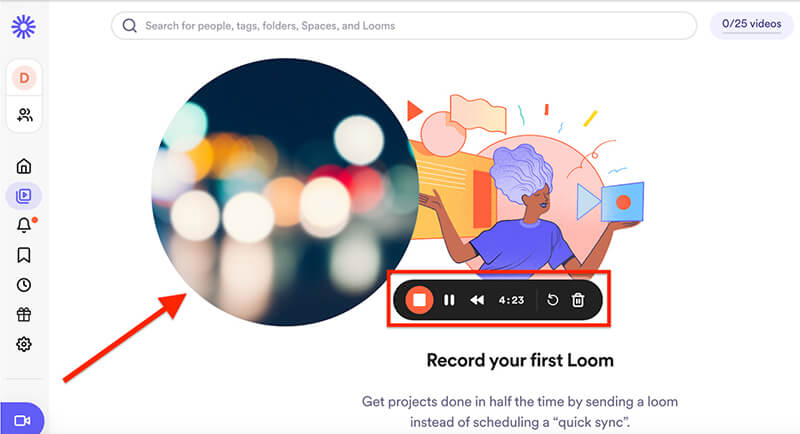
cuerda natural is a cloud-based recording tool that can record your computer screen, webcam, and microphone with ease. It offers a simple way to create and share quick video messages. The software enables you to capture anything displayed on the screen and then instantly generate a shareable link.
Ventajas
Desventajas
Veredicto:
Loom screen recorder is mainly designed for business professionals, remote teams, and educators. It is ideal for users who need to communicate ideas quickly. Its strength is in its workflow, not in high-quality recording or advanced functions. This video recording software is perfect for meetings and presentations, not for quality.
puntuación:4.5/5
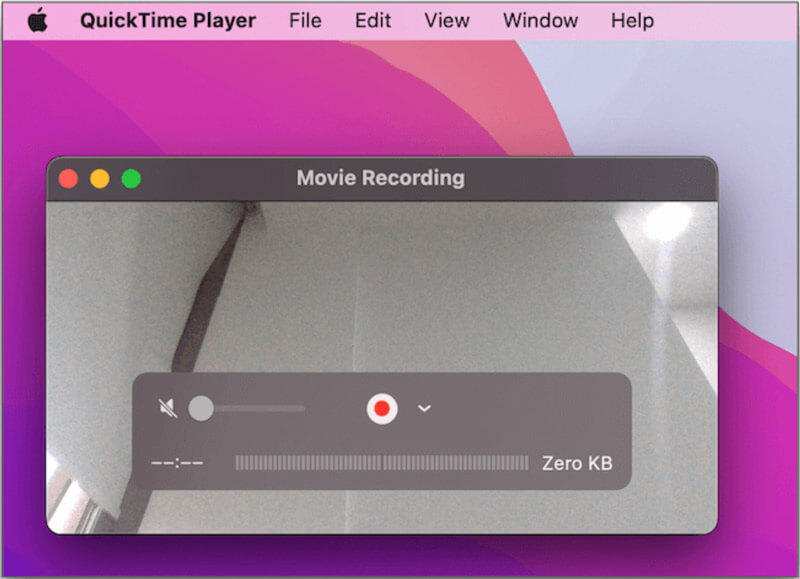
QuickTime Player is a free video recording tool for Mac users. This built-in option offers basic but very capable screen and audio recording functionality. Compared to other Mac recorders, it delivers a more stable recording experience.
Ventajas
Desventajas
Veredicto:
QuickTime Player is a great starting point for Mac users with basic recording needs. It is perfect for quick, simple tasks. The software is highly optimized for Mac hardware, making it record with zero lag and high clarity. One major limitation is the lack of internal audio capture. So, it is unsuitable for recording meetings, gameplay, and streaming videos.
puntuación:4.5/5
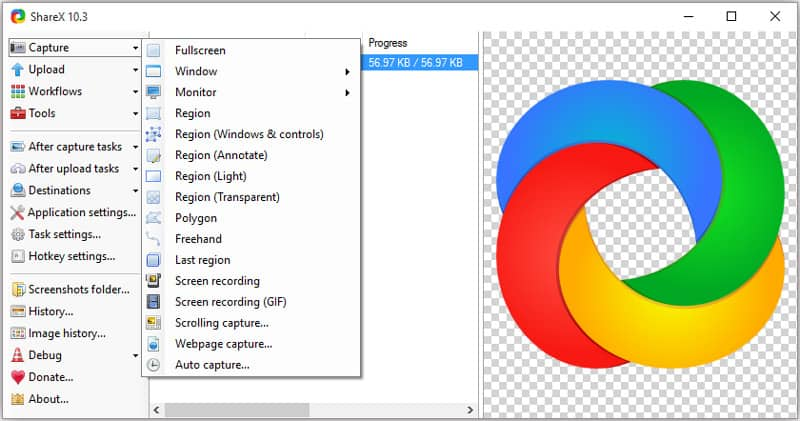
ShareX is a free, lightweight video recorder for Windows users. It can handle screen recording, screenshots, and sharing with ease. This video recording software can capture full screen, a specific window, and a custom region.
Ventajas
Desventajas
Veredicto:
ShareX is best for developers and pro users who need to quickly capture and share their screen. However, if you are only a beginner or casual user who wants to create polished recordings with built-in editing, it is not a good choice.
puntuación:4.4/5
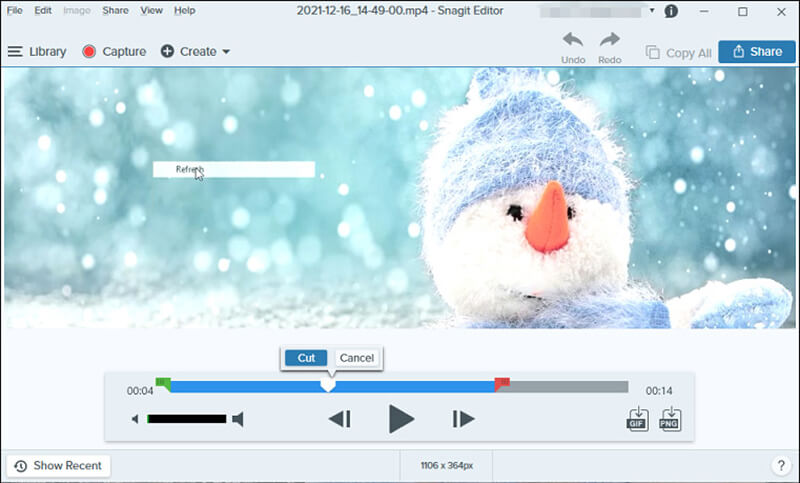
Snagit (by TechSmith) is a screen capture tool designed for professional documentation. This video recording software is primarily used for creating quick tutorials. It is built for users who want to record, edit, and share screen content daily. One significant advantage is the scrolling capture function. It can capture long webpages or scrolling windows that don’t fit on one screen.
Ventajas
Desventajas
Veredicto:
Snagit offers an efficient way to explain things to others through visuals. It is a good tool for recording screens and taking screenshots. This video recording software is ideal for office documentation. It focuses on clarity and workflow rather than high FPS or long capture.
puntuación:4.6/5
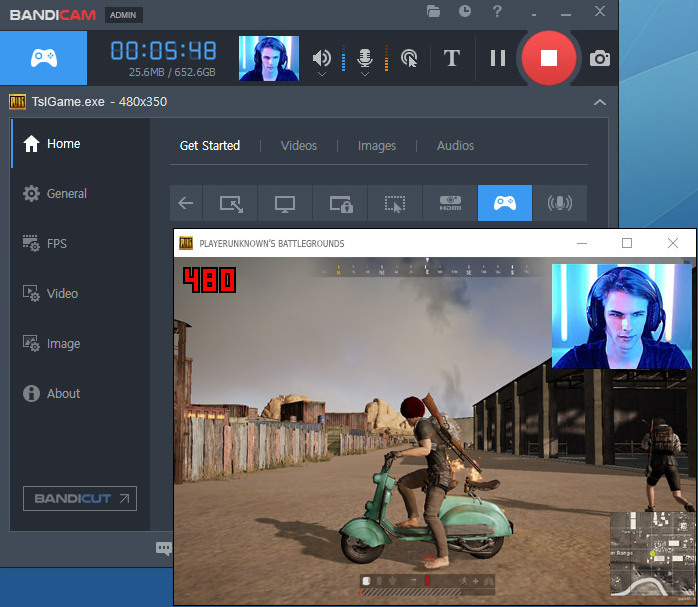
Bandicam is a reputable screen recorder that is widely used for gaming captures, tutorials, and other casual recording needs. It is capable of recording high-quality videos on computers with lower hardware specs. This video recording software is known for its specialized recording modes and high-quality outputs.
Ventajas
Desventajas
Veredicto:
Bandicam is a powerful recorder that excels in capturing high-quality videos from your computer screen or games. It delivers a good balance of high performance and ease of use. Bandicam is ideal for efficiency on older hardware.
puntuación:4.5/5
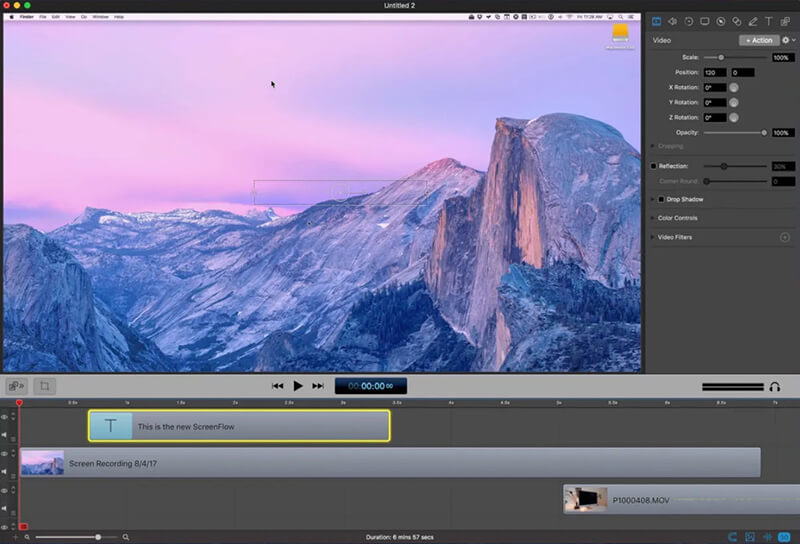
ScreenFlow is an all-in-one screen recording and editing software for macOS. It is known for its robust capture capabilities and the timeline-based video editor. This Mac video recorder is widely used to create professional tutorials, presentations, and other serious videos.
Ventajas
Desventajas
Veredicto:
ScreenFlow is a professional-grade video recording software for Mac users. It can easily capture high-definition screens to create tutorials, software demos, and other video content. However, if you are a casual user or on a budget, free tools like QuickTime or OBS might be better.
Which is the video recording software that most YouTubers use?
Most users prefer free video recording software to start with, including YouTubers. As mentioned, there are many strong contenders available, both free and paid ones. The top contenders for YouTubers include OBS Studio, Bandicam, Xbox Game Bar, and QuickTime. You should select the best video recorder based on your specific recording needs and goals. Different creators have different needs. So, the best software varies. If you want to capture short and simple gaming moments, start with Game Bar. If you are serious about gaming or live streaming, try using OBS. If you create business content, turn to Loom for its fluent recording and sharing workflow. If you want an easy-to-use, high-quality recorder for different recording tasks, turn to Aiseesoft Screen Recorder or Bandicam.
Which is the best free recording software for Mac?
Similarly, you should select the best free recording software for Mac, depending on your primary need. The pre-installed QuickTime offers a stable and high-quality recording method. However, the built-in option does not allow you to record internal system audio, such as sounds from a game, movie, video call, or browser. So, you should figure out whether you need the internal audio capture or not. If you need to record internal sound and want a powerful video recording tool, use OBS.
Does Windows 10 have free video recording software?
Yes, Windows 10 and Windows 11 have built-in free video recording software called Xbox Game Bar. This free recorder is mainly designed to capture short gaming clips. It can be easily accessed and used by pressing Win + G. This free video recorder is ideal for quick, simple recordings inside an application window. Surely, there are also powerful free third-party applications for Windows 10, such as OBS Studio and ShareX.
Is OBS video recording software completely free?
Yes, OBS Studio is completely free. This open-source video recording software does not offer a paid version for unlocking advanced functions or removing limits. You can directly download and use the latest full version for free. You can record as long as you have enough space on your hard drive. It won’t add a watermark to your recordings.
What are the main drawbacks of OBS Studio?
OBS is powerful enough for most basic recording needs, especially as a 100% free video recorder for both Windows and macOS. However, it is not the best choice if you need an all-in-one recorder and editor. It lacks editing and advanced video features to create polished tutorials quickly. What’s more, the software requires a steep learning curve to understand and use. Its complex interface can be overwhelming for beginners.
Conclusión
This guide gives eight software de grabación de video recommendations for you. These tools can handle all types of screen and audio capture needs, empowering everyone from professionals to casual users. You should select the “best” one based on your primary goal, such as capturing high-performance gameplay, recording online meetings, or producing polished tutorials.
 Revisión completa sobre qué es OBS Screen Recorder y las mejores alternativas
Libere todo el potencial de OBS Screen Recorder con nuestra guía de uso y revisión paso a paso. Comience a grabar hoy mismo sin esfuerzo y de manera eficiente para la creación de contenido profesional.
 Las 10 mejores herramientas de captura de pantalla GIF para grabar la pantalla en GIF
¿Existe un creador de GIF gratuito que cree GIF animados a partir de capturas de pantalla? Esta publicación comparte 10 herramientas de captura de pantalla GIF para grabar su pantalla y crear GIF.
 Cómo grabar audio del sistema en Mac (Big Sur/Catalina/Mojave...)
Lea y obtenga 3 formas sencillas de grabar audio del sistema en Mac con o sin Soundflower. Aquí puede grabar rápidamente audio interno en todos los sistemas operativos Mac.
Aiseesoft Screen Recorder es el mejor software de grabación de pantalla para capturar cualquier actividad como videos en línea, llamadas de cámara web, juegos en Windows/Mac.
100% Seguro. Sin anuncios.
100% Seguro. Sin anuncios.

*Campo requerido
*Por favor ingrese un correo electrónico válido