Mejor potenciador de vídeo: mejora la calidad del vídeo a 4K/8K
 100% Seguro. Sin anuncios.
100% Seguro. Sin anuncios.
Contenido
Si eres un principiante total y quieres Mejorar la nitidez de un vídeo en Premiere Pro, Usted está en el lugar correcto.
Ya sea que trabajes con material de baja resolución, corrijas problemas de desenfoque o mejores la claridad de videos borrosos, Adobe Premiere Pro te ofrece herramientas esenciales para mejorar la definición visual. Puedes aprender varias maneras de mejorar la nitidez de tus videos pixelados en Premiere Pro, desde los efectos básicos de Enfocar integrados hasta plugins avanzados de terceros y soluciones basadas en IA.
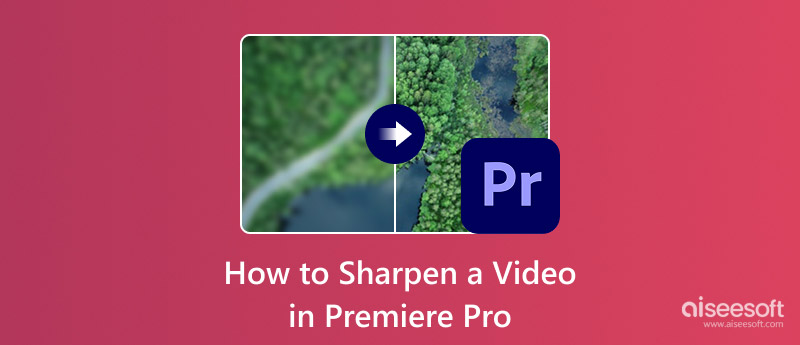
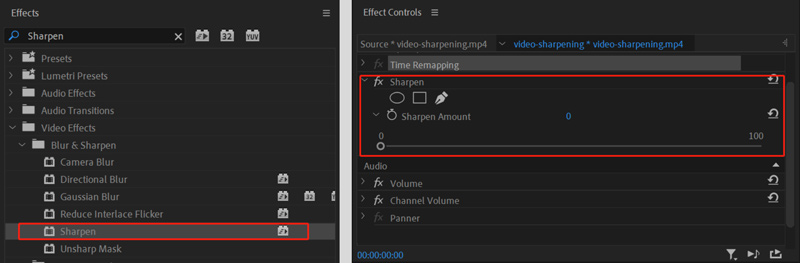
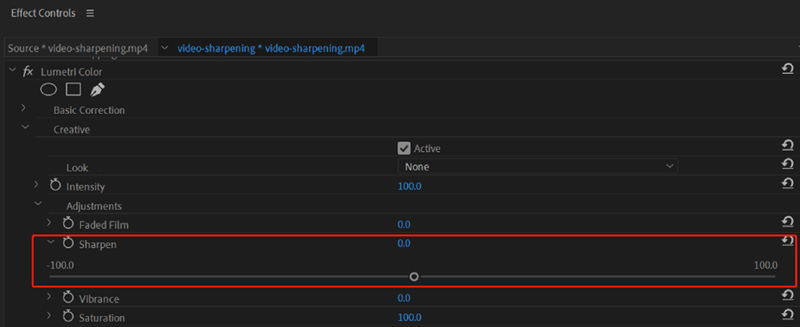
Premiere Pro cuenta con herramientas de nitidez integradas para solucionar diversos problemas comunes de video. Cuando necesite mejorar rápidamente la claridad de la imagen, puede usar sus Afilar El efecto es lo primero. Esta sencilla herramienta es ideal para obtener resultados inmediatos sin complejos ajustes de parámetros.
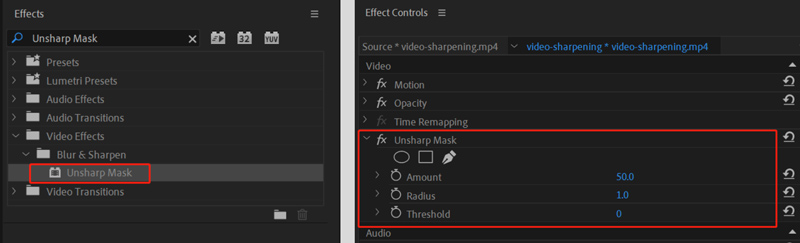
Además del efecto Enfocar, Premiere Pro ofrece herramientas avanzadas para corregir imágenes borrosas. Su Máscara de Enfoque y Lumetri Color ofrecen un mayor control sobre el proceso de enfoque. Podrás gestionar mejor problemas específicos en tu vídeo.
Además de las herramientas de nitidez de video integradas en Premiere Pro, puedes confiar en algunos complementos de terceros para aumentar la claridad y mejorar la calidad. Samurai afilado Es un plugin de nitidez dedicado que utiliza algoritmos avanzados para mejorar los detalles del vídeo. Es compatible con Premiere Pro y After Effects. Mejor que la nitidez integrada, Samurai Sharpen suele producir resultados de mayor calidad.
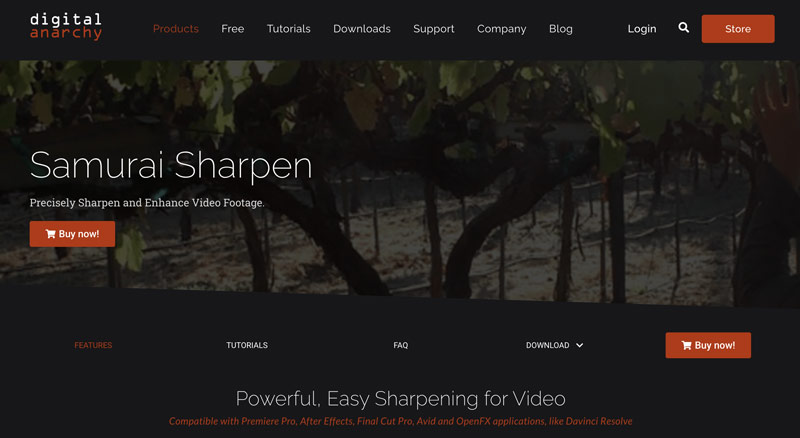
Ni Premiere Pro ni el plugin Samurai Sharpen son gratuitos. Si no quieres comprar el costoso programa de Adobe o prefieres una alternativa potente, las herramientas basadas en IA pueden ser una buena opción. Estas potenciadores de IA especializados Utilizan algoritmos avanzados de aprendizaje automático para analizar el metraje original y enfocarlo inteligentemente. Pueden reconstruir detalles de la imagen y ofrecer resultados de nitidez excepcionales.
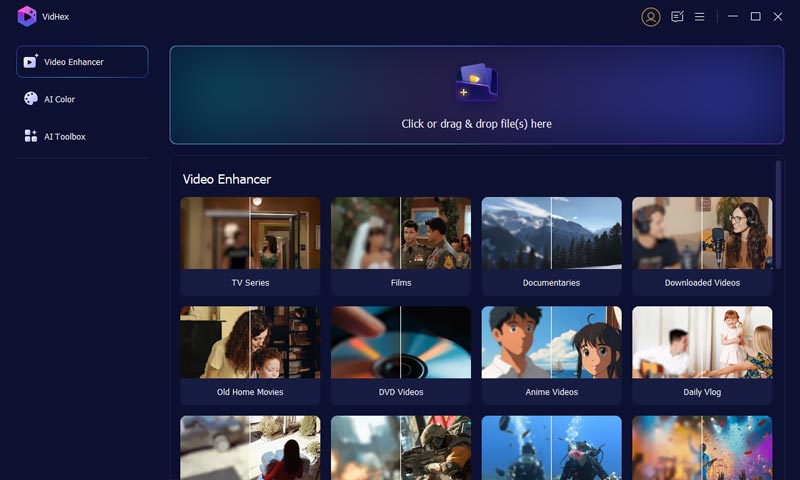
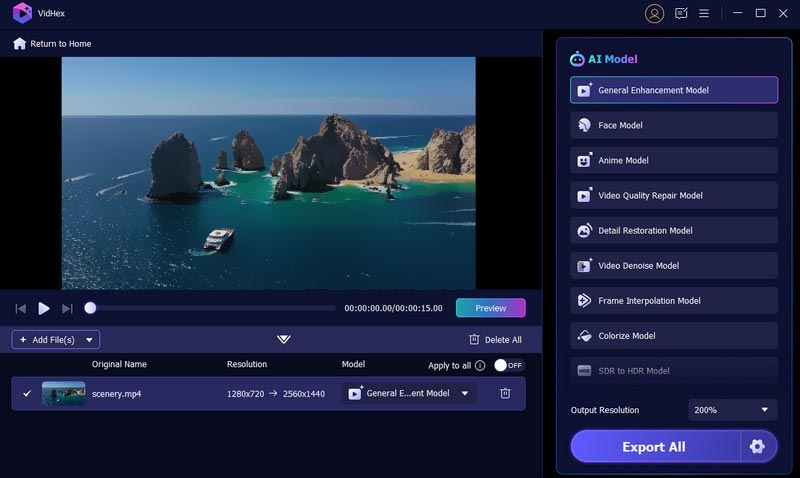
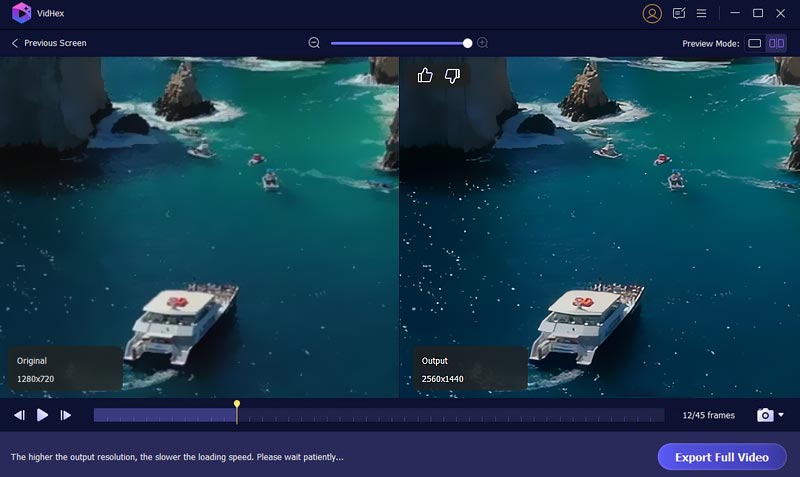
Aiseesoft VidHex Es una opción popular para la mayoría de los usuarios ocasionales que necesitan resultados rápidos y de alta calidad de nitidez, escalado y mejora de video. Representa la nueva generación de herramientas de mejora de video. Como alternativa a Premiere Pro, utiliza IA para enfocar el metraje de forma inteligente y corrige diversos problemas relacionados, como ruido, artefactos de compresión, baja resolución y más.
100% Seguro. Sin anuncios.
100% Seguro. Sin anuncios.
Pregunta 1. ¿Puede Premiere Pro enfocar un video borroso?
Sí, como se mencionó anteriormente, Premiere Pro ofrece varias maneras de enfocar un video borroso, desde efectos integrados sencillos hasta plugins más avanzados. Puedes seleccionar el método que prefieras para que tu video borroso se vea más nítido y claro.
Pregunta 2. ¿Cuál es la forma más sencilla de mejorar la nitidez de un vídeo?
Cuando necesites mejorar la nitidez de un video, es mejor empezar con las herramientas de edición integradas en tu dispositivo, especialmente en un smartphone. Suele ser la mejor y más sencilla manera de realizar ediciones básicas, como la nitidez. Es gratis y no requiere nuevas aplicaciones. Si prefieres resultados de edición profesionales y más controles, prueba Premiere Pro, DaVinci Resolve u otro. potente editor de videoSi trabajas con videos borrosos y de baja resolución, un potenciador de IA dedicado puede ser una mejor opción. Puede ayudarte a que todo el video se vea más nítido y claro con mayor calidad.
Pregunta 3. ¿Premiere Pro tiene una herramienta de enfoque con IA?
Premiere Pro ha integrado varias funciones basadas en IA que permiten mejorar los vídeos. Sin embargo, actualmente no cuenta con una herramienta específica para enfocar con IA. Requiere potentes plugins de terceros para ofrecer las mejoras de IA.
Conclusión
Puedes aprender a Mejorar la nitidez de un vídeo en Premiere Pro A través de esta guía completa, el software de Adobe ofrece múltiples maneras de mejorar la claridad del video. Si ya tiene Premiere Pro instalado en su computadora, use el efecto Enfocar, Máscara de enfoque o Lumetri Color para realizar correcciones rápidas y mejorar la nitidez de su metraje. Si no está satisfecho con los resultados de nitidez, soluciones basadas en IA como Aiseesoft VidHex ofrecen una mejor manera de mejorar la calidad.
 Aprende a estabilizar tu vídeo en Adobe Premiere Pro
¿Se puede estabilizar un vídeo en Premiere Pro? ¿Premiere Elements ofrece una buena estabilización? Consulta la guía detallada sobre cómo estabilizar vídeos en Premiere.
 ¿Qué debemos hacer para cambiar el tamaño de la imagen en Premiere Pro?
Lea nuestra guía si desea saber cómo cambiar el tamaño de la imagen en Premiere Pro. Le proporcionaremos la guía más detallada y otra herramienta para principiantes.
 Transición a Premiere Pro: explore efectos, cómo importar y alternativas
Sumérgete en un mundo donde las transiciones de Premiere Pro son indispensables para la producción de video, haciendo que la transición sea aún más fluida como alternativa.
VidHex es un mejorador de video impulsado por IA que amplía, elimina ruido, colorea, estabiliza y mejora la calidad del video en 1 clic.
100% Seguro. Sin anuncios.
100% Seguro. Sin anuncios.

*Campo requerido
*Por favor ingrese un correo electrónico válido