Aiseesoft Screen Recorder
 100% Seguro. Sin anuncios.
100% Seguro. Sin anuncios.
Si quieres grabar tu voz, música, reuniones o podcasts en tu PC de forma sencilla, has llegado al lugar correcto. Mucha gente cree erróneamente que tiene que comprar programas caros para obtener grabaciones de alta calidad, pero no es así. Hay numerosas herramientas gratuitas a tu disposición que no solo son fáciles de usar, sino que tampoco contienen anuncios molestos ni marcas de agua en tus archivos. En este artículo hablaremos de las mejores opciones para usuarios de Windows. No importa si solo estás grabando una nota de voz rápida, quieres capturar una reunión en línea o estás usando Software gratuito para grabar música desde el audio de Windows 10. En el buscador, analizaremos las funciones, la facilidad de uso, la calidad de sonido y la compatibilidad de formatos de las herramientas para que puedas elegir fácilmente la que mejor se adapte a tus necesidades. ¡Elige la herramienta adecuada y empieza a grabar con confianza!
Antes de elegir la herramienta adecuada, lo primero es determinar qué necesitas exactamente. ¿Vas a grabar locuciones, música, organizar reuniones virtuales o audio para videojuegos? Afortunadamente, existen muchas opciones confiables y completamente gratuitas.
A continuación, repasaremos algunos de los mejores. software de grabación de audio Para Windows 10, tenga en cuenta su facilidad de uso, calidad de audio, formatos de archivo, compatibilidad con micrófonos y la opción de programar una sesión de grabación. Este resumen le ayudará a elegir la herramienta más adecuada para su equipo y sus objetivos de grabación.
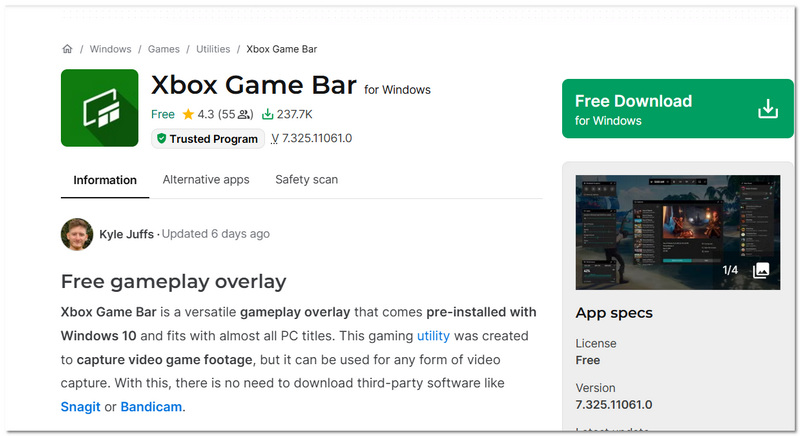
Si no quieres instalar nada adicional, la Barra de juegos de Xbox ya viene integrada en Windows 10 y está lista para usar. Su principal ventaja es la comodidad. Funciona al instante con solo un atajo de teclado. Muchos usuarios la utilizan como software gratuito de grabación de sonido para Windows 10, ya que puede capturar tanto el audio del sistema como la entrada del micrófono sin necesidad de descargas adicionales.
Ideal Para
Clasificación: 4/5
Facilidad de uso: Muy fácil
Calidad de salida
Formato de salida
Compatibilidad con micrófono externo
Grabación programada
La barra de juegos de Xbox es fantástica si buscas una forma rápida y sencilla de grabar. Sin embargo, si deseas archivos de audio separados, funciones de edición avanzadas u opciones de programación, entonces podrías necesitar una herramienta diseñada específicamente para grabar.
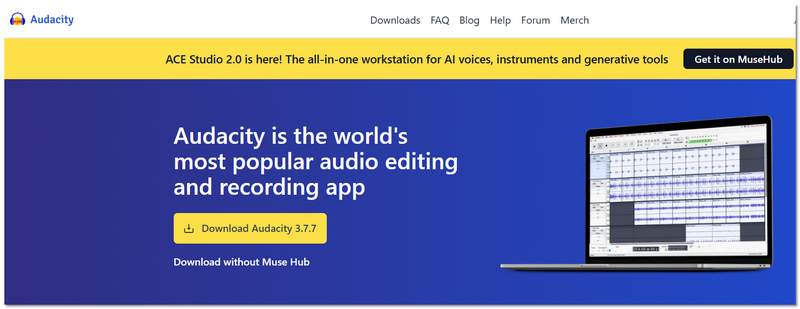
Si buscas mayor control sobre tus grabaciones, Audacity es una de las opciones más potentes disponibles. Es ampliamente conocido como software gratuito de grabación de sonido para Windows 10 porque ofrece funciones de grabación y edición de nivel profesional sin anuncios, suscripciones ni marcas de agua. A diferencia de las herramientas integradas, Audacity te permite grabar, editar y exportar audio en múltiples formatos con una salida de alta calidad.
Ideal Para
Rating: 4.5 / 5
Facilidad de uso: Moderada
Calidad de salida
Formato de salida
Compatibilidad con micrófono externo
Grabación programada
Audacity es perfecto si buscas algo más que una simple grabación. Te ofrece un control total sobre la calidad y la edición del audio, lo que lo convierte en una de las opciones gratuitas más fiables para usuarios de Windows 10.
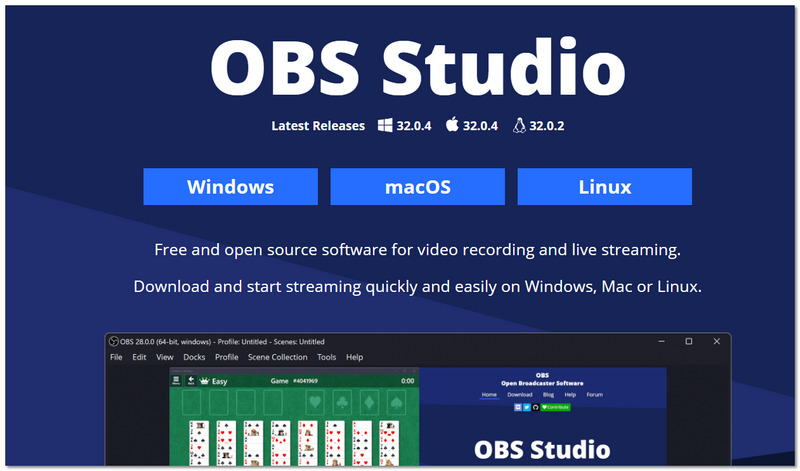
Si necesitas mayor control sobre múltiples fuentes de audio, OBS Studio es una opción potente. Aunque es ampliamente conocido por la transmisión en directo, muchos usuarios también lo utilizan como software gratuito de grabación de voz para Windows 10, ya que admite la captura de audio de alta calidad desde micrófonos, sonido del sistema e incluso varios dispositivos de entrada simultáneamente.
Ideal Para
Clasificación: 4.5/5
Facilidad de uso: Moderado a avanzado
Calidad de salida
Formato de salida
El audio suele estar integrado en los archivos de vídeo, a menos que se configure por separado.
Compatibilidad con micrófono externo
Grabación programada
OBS Studio es ideal para quienes buscan una personalización avanzada y grabación multipista. Sin embargo, requiere un poco más de esfuerzo en la configuración. Por eso, sigue siendo una excelente opción gratuita para usuarios de Windows 10. Ofrece un gran control y un rendimiento de salida de alta calidad.
Si quieres grabar música con una calidad realmente alta desde tu ordenador, es posible que necesites algo más potente que las herramientas gratuitas básicas. Aunque existe mucho software gratuito, algunas personas prefieren tener un excelente control de sonido, una salida totalmente nítida y una configuración muy fácil de entender. Aiseesoft Screen Recorder Es una excelente opción que ofrece una prueba gratuita y una experiencia mucho más cómoda para quienes buscan resultados profesionales sin configuraciones complicadas. Si lo que buscas es grabar música con software gratuito para computadora, esta herramienta lo hace muy fácil y, al mismo tiempo, ofrece un rendimiento de alta calidad.
Descarga
100% Seguro. Sin anuncios.
100% Seguro. Sin anuncios.
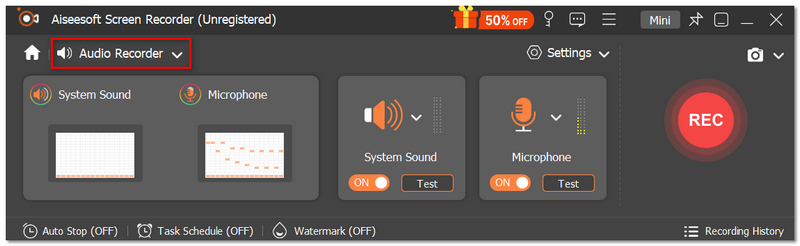
Opcional: Active el interruptor Micrófono Si quieres añadir voz.
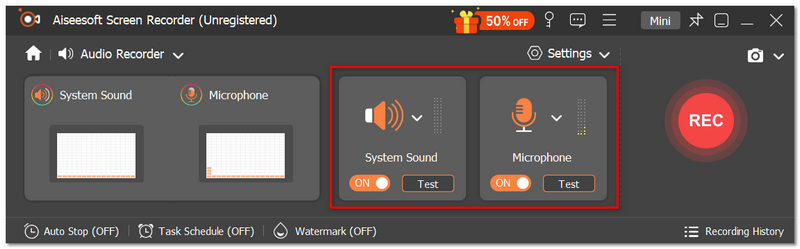
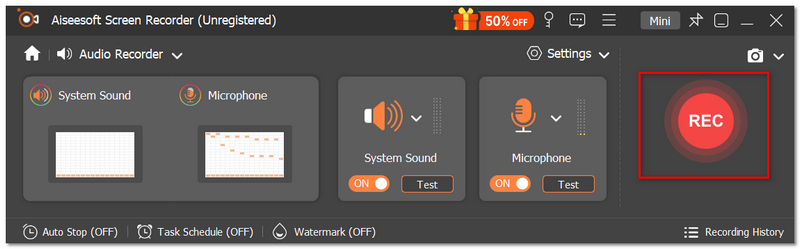
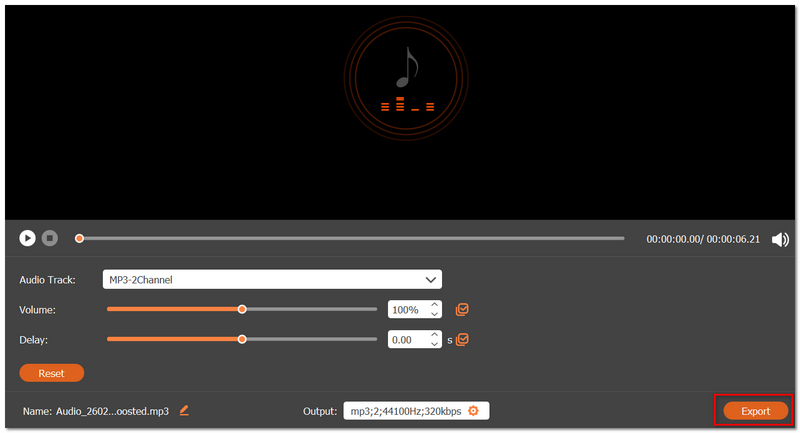
Aiseesoft Screen Recorder es perfecto si buscas una experiencia de grabación más fluida y profesional. Si bien puedes cubrir tus necesidades básicas con herramientas gratuitas, esta ofrece un control de sonido superior, exportaciones nítidas y un flujo de trabajo más optimizado, especialmente si grabas música con frecuencia en tu ordenador con Windows 10.
¿Puedo grabar el audio interno del sistema en Windows 10 sin Stereo Mix?
Sí, sin embargo, varía según el software. Algunas herramientas requieren activar Stereo Mix, mientras que otras utilizan controladores virtuales integrados para grabar el sonido del sistema interno .
¿Por qué mi grabación de audio tiene un volumen tan bajo?
Una ganancia de micrófono baja o una selección de entrada incorrecta son las razones por las que esto suele ocurrir. Asegúrate de revisar la configuración de sonido de Windows y, si es necesario, ajusta los niveles de entrada antes de grabar.
¿Cuál es la diferencia entre tasa de bits y frecuencia de muestreo?
La frecuencia de muestreo influye en el nivel de detalle y la nitidez del audio, mientras que la tasa de bits determina el nivel de compresión y el tamaño del archivo.
Conclusión
Tras leer esta guía, debería tener una idea clara de las mejores herramientas disponibles para grabar voz, música, reuniones o podcasts en su PC. Hemos explorado opciones integradas, potentes programas de código abierto e incluso una solución de prueba gratuita más avanzada para que pueda elegir según sus necesidades, nivel de habilidad y objetivos de grabación. La principal conclusión es que no es necesario gastar mucho dinero en software para obtener resultados de alta calidad. La herramienta adecuada Software de grabación de audio gratuito para Windows 10 Te permitirá empezar a grabar enseguida, sin anuncios ni marcas de agua, y crear audio nítido con calidad de estudio directamente desde tu PC.
 4 mejores soluciones para la falta de sonido en Windows Media Player
A veces, Windows Media Player reproduce vídeos sin sonido. Este artículo analizará las 4 razones comunes y algunos métodos rápidos para ayudarlo a resolver el problema.
 Cómo solucionar el lag en Twitch tanto para streamers como para espectadores
¿Por qué se me traba la transmisión en Twitch? ¿Por qué Twitch se traba si mi internet funciona bien? ¿Cómo puedo hacer que mi transmisión en Twitch sea más fluida? Aprende a solucionar el problema de lag en Twitch.
 Los 10 mejores programas de edición de audio en Windows y Mac
¿Cuál es el mejor software de edición de audio? Este artículo enumera los 10 mejores programas de edición de audio para que elijas.
Aiseesoft Screen Recorder es el mejor software de grabación de pantalla para capturar cualquier actividad como videos en línea, llamadas de cámara web, juegos en Windows/Mac.
100% Seguro. Sin anuncios.
100% Seguro. Sin anuncios.

*Campo requerido
*Por favor ingrese un correo electrónico válido