Cambiador de ubicación Anycoord: GPS falso en Android e iOS
 100% Seguro. Sin anuncios.
100% Seguro. Sin anuncios.
If you’ve been wanting to explore more places in Pokémon GO without actually going outside, you’ve probably heard about iAnyGo. It’s one of the most talked-about tools for changing your GPS location, but many players are still curious how it really works and whether it’s safe to use. In this guide, I’ll walk you through how to use iAnyGo for Pokémon GO on both iOS and Android, explain what it can do, and help you decide if it’s the right tool for you. And just in case you want something easier or more reliable, I’ll also share a great alternative you can switch to at any time. In the end, you’ll know exactly what iAnyGo does, how to use its key features, and how to spoof your location smoothly without stressing over the setup. Let’s get started!

If you've been playing Pokémon GO for a while, you know the deal. Some of those rare Pokémon reside in locations that you can't always get to. You can't always just drop what you're doing and go to those spots. And that's where something like iMyFone iAnyGo is important. You can think of it like a GPS "remote control" that can change your location without you having to move. A lot of players use it when they want to join events happening in other countries, hatch eggs faster, or simply explore new PokéStops from the comfort of home.
iAnyGo is designed to be simple. When you open it, everything is laid out clearly with no confusing menus or tech-heavy setup. It’s the type of tool that even beginners can figure out in just a few minutes.
Key Features of iAnyGo
• You can instantly “teleport” to any place on the map.
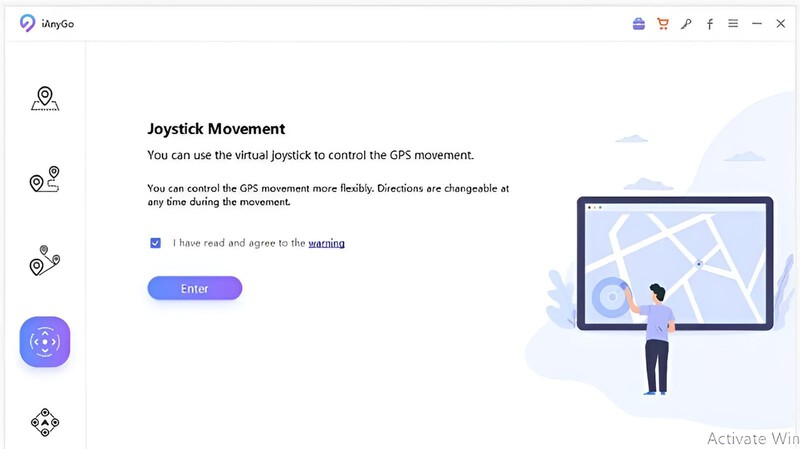
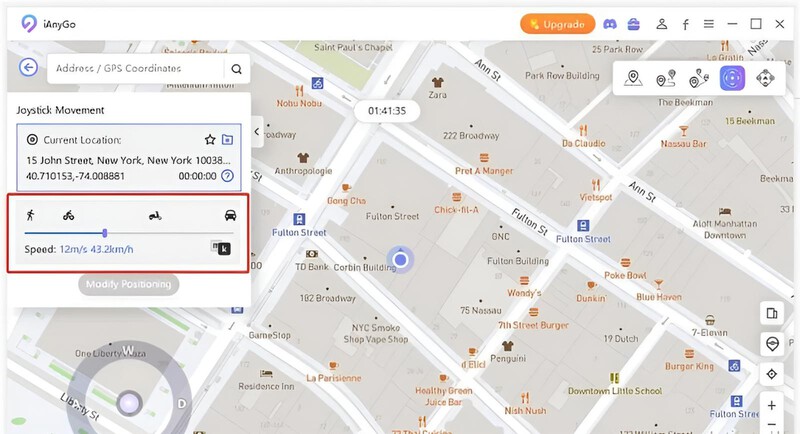
• Instead of tapping or trying to walk manually on-screen, it gives you a virtual joystick so you can move around smoothly like you’re actually walking.
• You can choose how fast you want to “travel,” walking, biking, or driving at a speed.
• It lets you create a path and auto-walk it, which is perfect for farming PokéStops or collecting items without having to click repeatedly.
• No jailbreak or rooting required.
What iAnyGo Can Do for Pokémon GO
For Pokémon GO trainers, iAnyGo opens up a whole new world, like literally! With it, you can:
• Visit faraway hotspots like Tokyo, New York, or Seoul to catch region-specific Pokémon
• Participate in worldwide Pokémon GO events taking place in countries other than your own.
• Exchange Poké Balls and items more efficiently by spinning more PokéStops.
• Hatch eggs faster by walking "virtually."
• Pokémon GO levels up faster by exploring areas with more spawns.
Basically, if you’ve ever felt limited by your real-world location, iAnyGo helps break that barrier and gives you the freedom to play the way you want.
Using iAnyGo is quite simple. The entire process feels as if you are following a setup guide on your phone, even if you are not tech-savvy. Below are instructions on how to easily and safely change your location in Pokémon GO. This works on both iOS and Android if you wish to travel to new areas, participate in global events, or just farm PokéStops.
Nota:
For iOS: Tap Trust This Computer when prompted.
For Android: Follow the instructions on-screen to enable USB debugging.
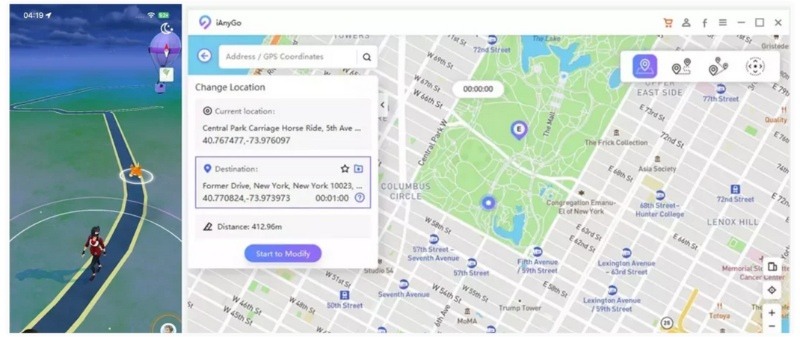
iAnyGo is indeed a good choice for Pokémon Go location spoofing, though some users reported that their iAnyGo no pudo detectar la ubicación en Pokémon Go. If you are facing the same problem, you can resort to the best alternative to iAnyGo.
If iAnyGo doesn’t seem like the right fit for you, maybe it is slow on your device, or you are simply looking for an easier option. Then Aiseesoft AnyCoord is a good alternative to consider. It is easy to set up, easy to use, and a great choice for a player who wants to spoof their Pokémon GO location with an app that does not crash and is simple to use. AnyCoord lets you teleport anywhere in seconds or “walk” around using a joystick, making it super helpful for catching rare Pokémon, spinning more PokéStops, or joining global events without actually traveling.
100% Seguro. Sin anuncios.
100% Seguro. Sin anuncios.
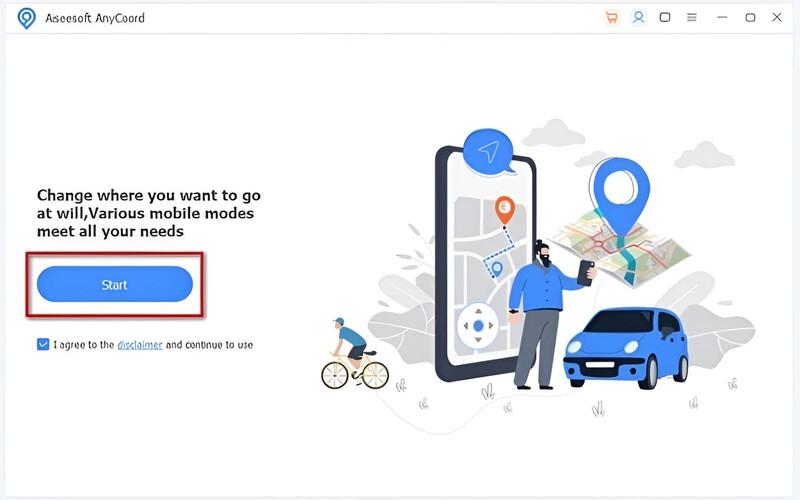
Nota: Accept any “Confíe en esta computadora, USB-debugging prompts on the phone.
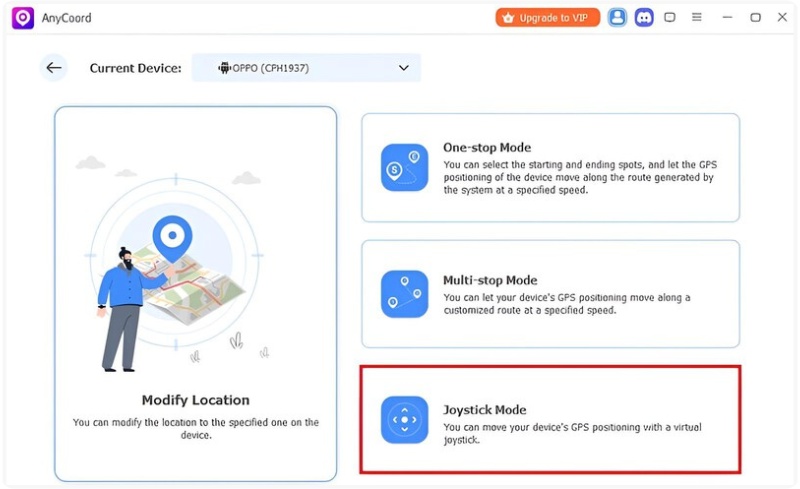
Avoid rapid teleporting, use realistic speeds, and wait a bit after long jumps to reduce the risk of a soft ban.
Can I use iAnyGo without a computer?
No, iAnyGo currently requires a PC or Mac to run. You connect your phone to the computer to change your GPS location.
Can iAnyGo be used for other location-based apps besides Pokémon GO?
Yes, you can use iAnyGo for apps that rely on GPS, like social apps or AR games, but always check the app’s terms of service first.
Can I save my favorite locations in iAnyGo?
You can bookmark locations you frequently visit, which makes it simpler to teleport there at a later time.
Conclusión
iAnyGo is a useful tool for Pokémon GO players who want to travel to new places, attend events, or farm Pokémon without leaving their homes. Spoofing your area is a breeze on iOS or Android, with easy-to-use interfaces and features such as Joystick Mode and teleportation, you will have no trouble traveling the Pokémon world without getting off the couch. By observing the steps, you can move about safely and enjoy the game anywhere. Anyone looking for reliable GPS spoofing, Aiseesoft AnyCoord, and iAnyGo Pokémon GO Android would be a great choice to make your gameplay smarter.
 Cómo grabar juegos de Steam: domina el arte de grabar juegos
Aprenda a grabar juegos de Steam a través del tutorial agregado a este artículo. Descubra cuál de los tres es mejor para las necesidades de grabación de juegos.
 [Resuelto] Cómo reparar la señal de GPS de Pokemon Go no encontrada 11 Error en iPhone
¿Por qué mi Pokemon Go dice que no se encuentra la señal de GPS? ¿Cómo arreglo la señal GPS no encontrada 11 Pokemon Go? Esta publicación comparte 5 consejos simples para reparar la señal GPS de Pokemon Go no encontrada 11 en iPhone.
 ¡Resuelto! Pokemon Go Crash on Fix en iOS 18/17 con 4 soluciones
Pokémon es un juego divertido, pero no cuando de repente falla. Vea cómo puede solucionar el problema de Pokémon Go en Android e iOS.

Aiseesoft AnyCoord puede ayudarlo a ocultar, falsificar o cambiar su ubicación GPS a cualquier otro lugar con facilidad. Incluso puede planificar una ruta móvil si es necesario.
100% Seguro. Sin anuncios.
100% Seguro. Sin anuncios.

*Campo requerido
*Por favor ingrese un correo electrónico válido