Aiseesoft Screen Recorder
 100% Seguro. Sin anuncios.
100% Seguro. Sin anuncios.
How to see who screenshotted your public story on Snapchat?
Sharing moments on Snapchat is funny and private. The photos and videos you sent will disappear after a set amount of time. This app built its reputation on ephemeral content. However, after you post something to your Story, you lose full control over where it goes. You should know that anything you post on Snapchat and other platforms can be saved. You may wonder who has saved your public or private Snapchat story content.
This guide will discover the latest notification policy for screenshots on Snapchat. You can find out exactly who is saving your Story content.
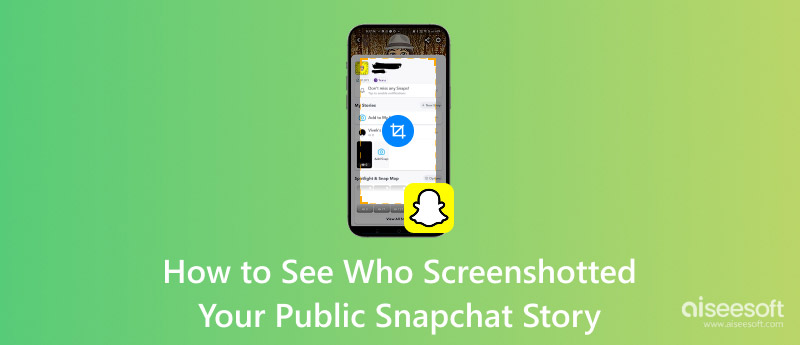
Can you see who screenshotted your public or private Story on Snapchat? Does Snapchat notify when you screenshot a Story?
First, let’s be clear that Snapchat does not automatically notify you when someone screenshots your story. Only private snaps and chat messages in Snapchat can trigger alerts. You will receive an immediate notification when someone takes a screenshot of a private snap or chat. However, when it comes to stories, things are different. Anyone can take a screenshot and save story content without the creator/poster receiving a notification. Screenshots on public Snapchat stories go undetected.
Then, how to identify the specific people who have screenshotted your public or private Snapchat story content?
For these contacts/users who are already on your friend list, you can easily check who screenshotted your Privado or Friends-Only Story. Snapchat makes it easy to see exactly who took a screenshot if you have posted a “My Story” or “Private Story” restricted to a custom list of people.
For standard users with a Perfil público, Snapchat will show you a total count of viewers and screenshots under the Perspectivas tab. It will often hide the usernames of non-friends who captured the story content.
To access your Insights, you can tap your Bitmoji e ir a Perfil público. Localiza el Perspectivas tab and tap it to view performance metrics for your Public Stories and Spotlight posts.
Para Estrellas a presión, such as verified creators and public figures, Snapchat offers them a much deeper set of analytics. They can get detailed audience demographics, including age, gender, and geographic breakdown. Moreover, they have detailed views on story replies, watch time, and more.
The reality is that once your snap is on a screen, it can be captured. You cannot disable the screenshot functionality on another person’s device. To better protect your privacy, you can control who has the opportunity to see your content in the first place.
To avoid or minimize unwanted screenshots on your Snapchat Story, you should strictly manage your Configuración de privacidad.
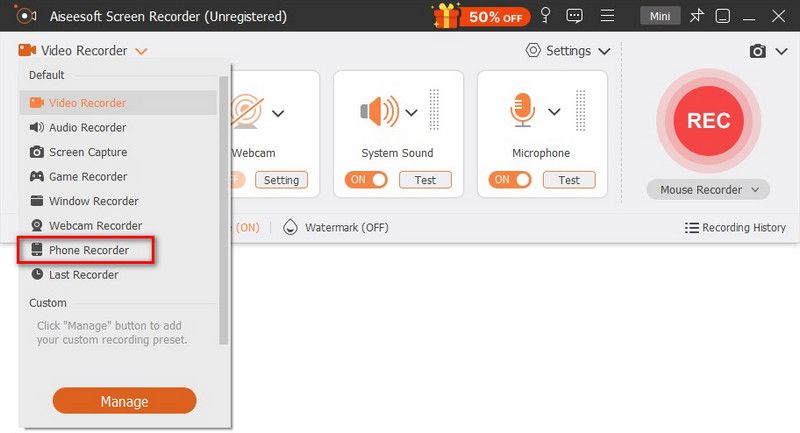
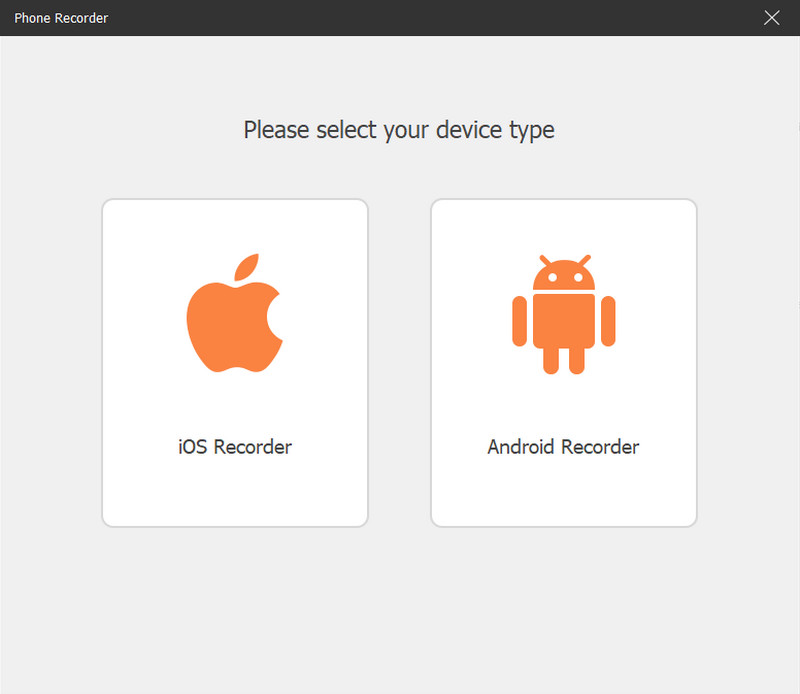
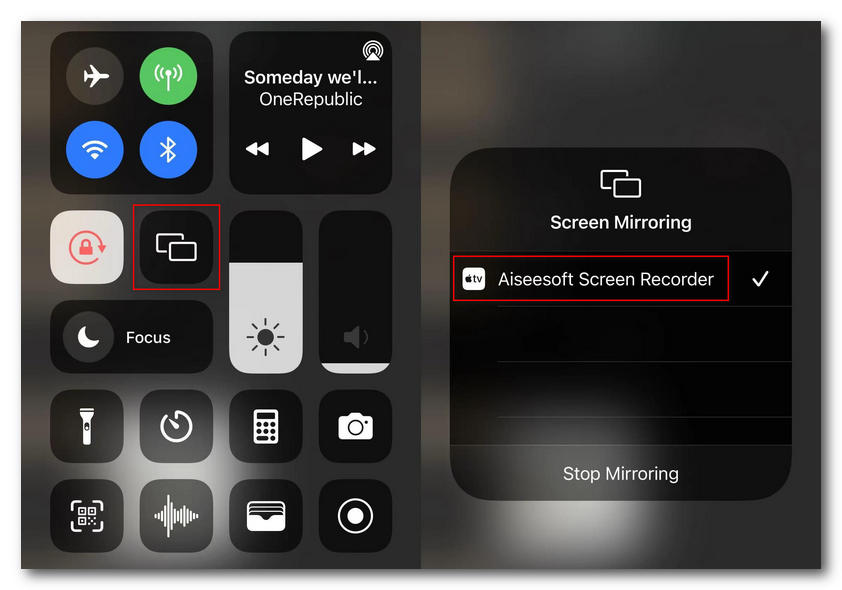
If you occasionally have the need to take screenshots of your friends’ stories and prefer not to trigger the awkward screenshot notification, turn to the reputable Aiseesoft Screen Recorder. It lets you mirror your phone (iOS and Android) screen to a computer for capturing. In that case, you can screenshot or record a Snapchat Story without notifying the sender.
100% Seguro. Sin anuncios.
100% Seguro. Sin anuncios.
Question 1. Can I see the specific names of non-friends who screenshot my Public Story?
No. As mentioned above, the Snapchat app only shows you the total number of screenshots in your Public Story. You can check the information from the Insights tab. For privacy reasons, Snapchat will not show the specific usernames of users who are not on your friend list.
Question 2. Does Snapchat notify users when you screen record their Story?
Yes. If you use the native screen recording tool in iOS or the built-in screen recorder on Android, the Snapchat app will detect the capture and immediately place a certain icon next to your name in their viewer list.
Question 3. Is it legal to screenshot someone else’s Snapchat Story?
It is generally considered not illegal to take a screenshot or a photo for personal reference, especially between friends. Saving Snapchat pictures or videos is not a crime. However, sharing the screenshot content without permission can break the app’s terms of service.
Conclusión
Esta publicación ha hablado principalmente sobre how to see who screenshotted your public Snapchat story. By learning the latest policy information about the app’s screenshot notification system, you can better protect your privacy, mainly for private stories, snaps, and chats. To see who saved your Snapchat content, you can manually check your story viewer list while the content is still live.
 El método predeterminado para usar Boomerang en Snapchat en iOS/Android/Web
Un vídeo de boomerang ha sido una publicación popular en cualquier plataforma social. Aquí puedes aprender cómo hacer un boomerang en Snapchat de forma predeterminada.
 Acceda a su cuenta con 4 buscadores de contraseñas de Snapchat
Si tiene problemas para recordar las contraseñas de Snapchat, aquí hay 4 buscadores de contraseñas de Snapchat que pueden ayudarlo a volver a acceder a la cuenta de Snapchat.
 Por qué Snapchat no me deja iniciar sesión y soluciones para solucionarlo
¿Puedes iniciar sesión en Snapchat en dos dispositivos? ¿Por qué mi Snapchat sigue desconectándome? Conozca los motivos por los que Snapchat no le permite iniciar sesión y las formas de solucionarlo.
Aiseesoft Screen Recorder es el mejor software de grabación de pantalla para capturar cualquier actividad como videos en línea, llamadas de cámara web, juegos en Windows/Mac.
100% Seguro. Sin anuncios.
100% Seguro. Sin anuncios.

*Campo requerido
*Por favor ingrese un correo electrónico válido